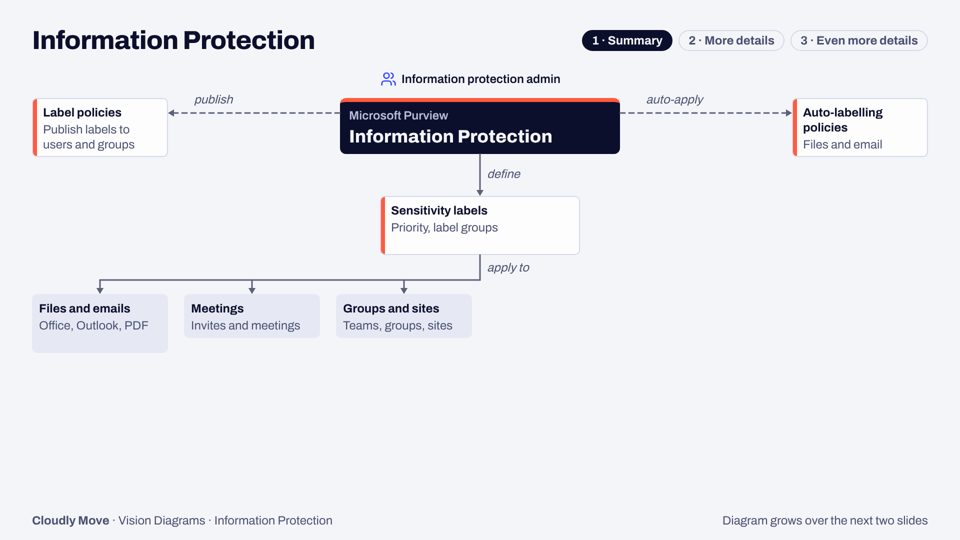
Information Protection
Sensitivity labels, encryption and auto-labelling across Microsoft 365, Fabric and Copilot, drawn in three levels of detail.
Get the PDFWe design a sensitivity label scheme people understand, teach Purview to recognise your own sensitive data, and turn on data loss prevention without stopping the business.
ToolsMicrosoft Purview Information Protection, Data Loss Prevention, Information Barriers
A label taxonomy and policies agreed with your risk, legal and records teams, with encryption and marking only where they earn their place.
Patterns, keywords and exact data match for identifiers only your organisation has, such as customer, policy or project numbers.
Classifiers trained on your own documents, such as contracts, board papers or design files, with seed content, testing and an accuracy report before they go live.
Service-side and client-side auto-labelling rules, run in simulation first so you see what would be labelled before anything changes.
DLP policies for Exchange, SharePoint, OneDrive, Teams, devices and Copilot, run in test mode, tuned against real matches, then enforced.
Segments and policies for teams that must not collaborate, such as deal teams and research.
6 weeks
Want to scope it? Book a 30-minute call (opens in a new tab) and we'll talk it through.
Free architecture decks that draw each Purview module in three levels of detail. Tell us where to send it and we'll email you the PDF.
Sensitivity labels, encryption and auto-labelling across Microsoft 365, Fabric and Copilot, drawn in three levels of detail.
Get the PDF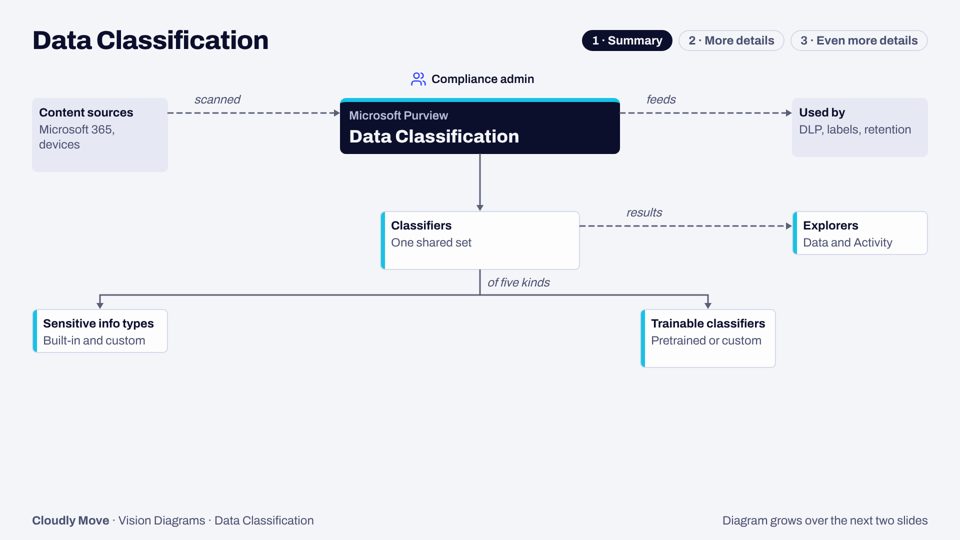
The classifiers every Purview solution relies on to find sensitive data, and the explorers that show what they found.
Get the PDF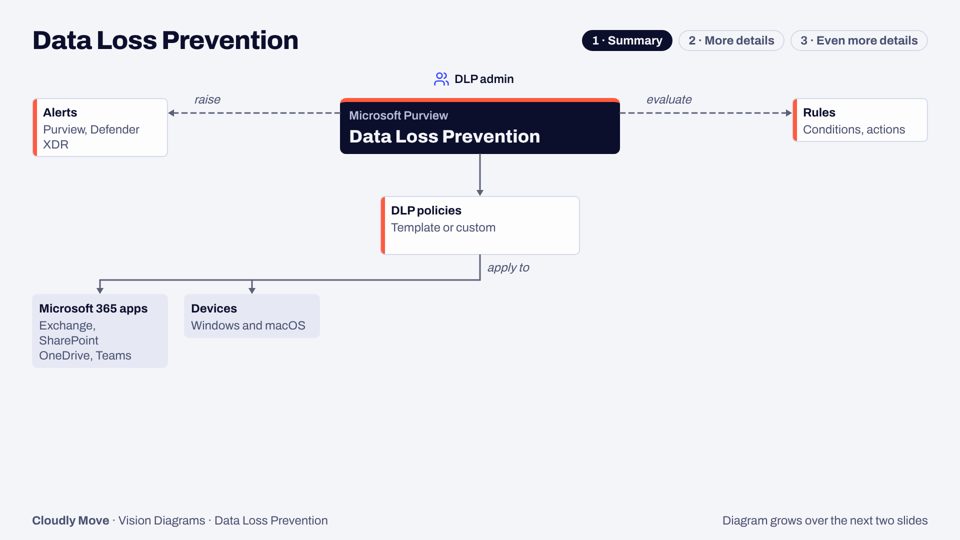
Policies that spot sensitive data in use and warn, block or restrict it, from email to devices, browsers, Copilot and agents.
Get the PDF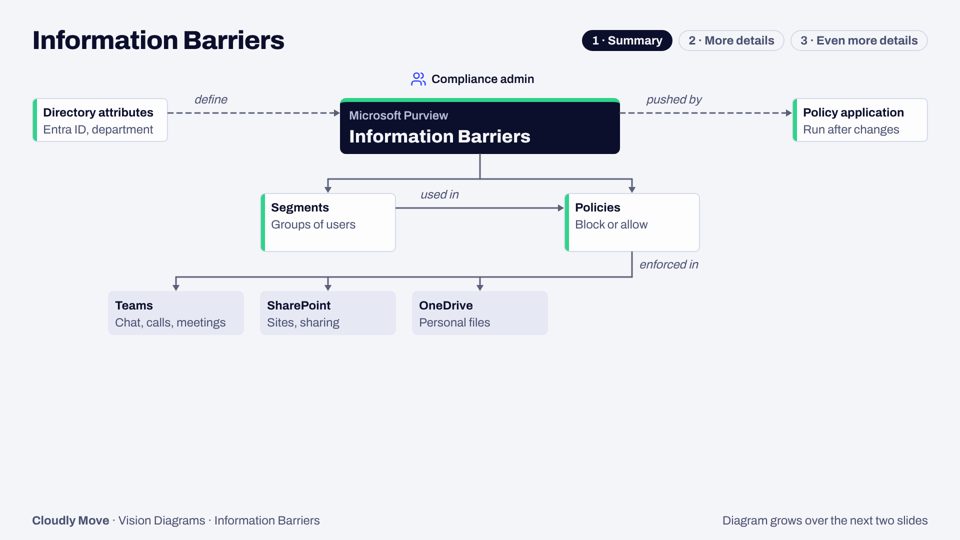
Two-way policies that stop, or only allow, communication and collaboration between groups of people.
Get the PDFLoad your Purview Content Explorer export, see which sites and folders are stuck on the default label after a migration, pick the right label per folder, and download the relabel plan and Graph script.
Book a 30-minute call and tell us what worries you about Microsoft 365: oversharing, an audit, or a Copilot rollout. Or email us and we'll reply within one working day.