See what Copilot can show to the wrong people
Microsoft 365 Copilot answers from every file a person can open. Radius finds the payroll, patient and password files that reach far more people than they should, shows what Copilot could say about them, and fixes the exposure without breaking anyone's work.
The demo uses a fictional company, My Pharma. Press Autopilot for a 45-second tour with no clicks.
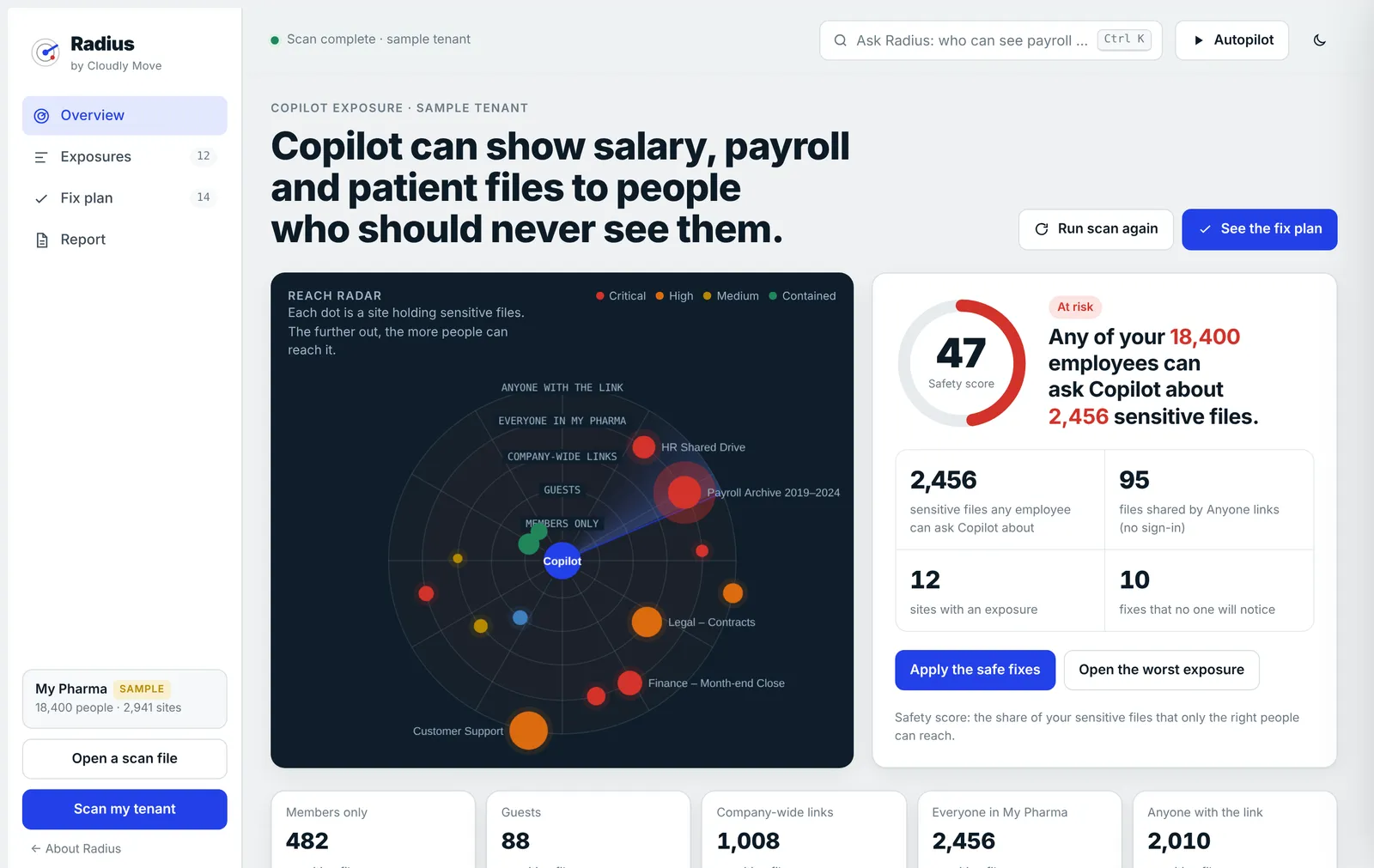
Copilot doesn't create access. It makes old access findable.
Oversharing used to be hidden by obscurity. Nobody went looking for a 2022 payslip folder. Now anyone can ask for it in plain English, and Copilot will answer from whatever they can open.
“Everyone except external users” added to a site's members years ago to share a holiday planner. Every employee can now reach everything in it.
Contracts and ticket exports shared with “People in your organisation”. Easy to send, never cleaned up, and reachable by anyone who has the link.
One folder given to the All Staff group during a migration. The site looks private. The payslips inside it aren't.
The question anyone could ask
A warehouse supervisor with no role in payroll opens Copilot. Radius shows you that conversation for each exposed site, before someone has it for real.
Simulated. In the product, values are blacked out and Radius never reads or shows file contents.
BeforeCopilot, signed in as a warehouse supervisor
Show me the March 2023 payslip for someone in Legal
Here is the March 2023 payslip for J. Whitfield, net pay £6,412.18, paid to account ending 4471.2023-03 Payslips – Legal.pdf
After RadiusSame person, same question
Show me the March 2023 payslip for someone in Legal
I couldn't find anything you have access to about that.
One picture of who can reach what
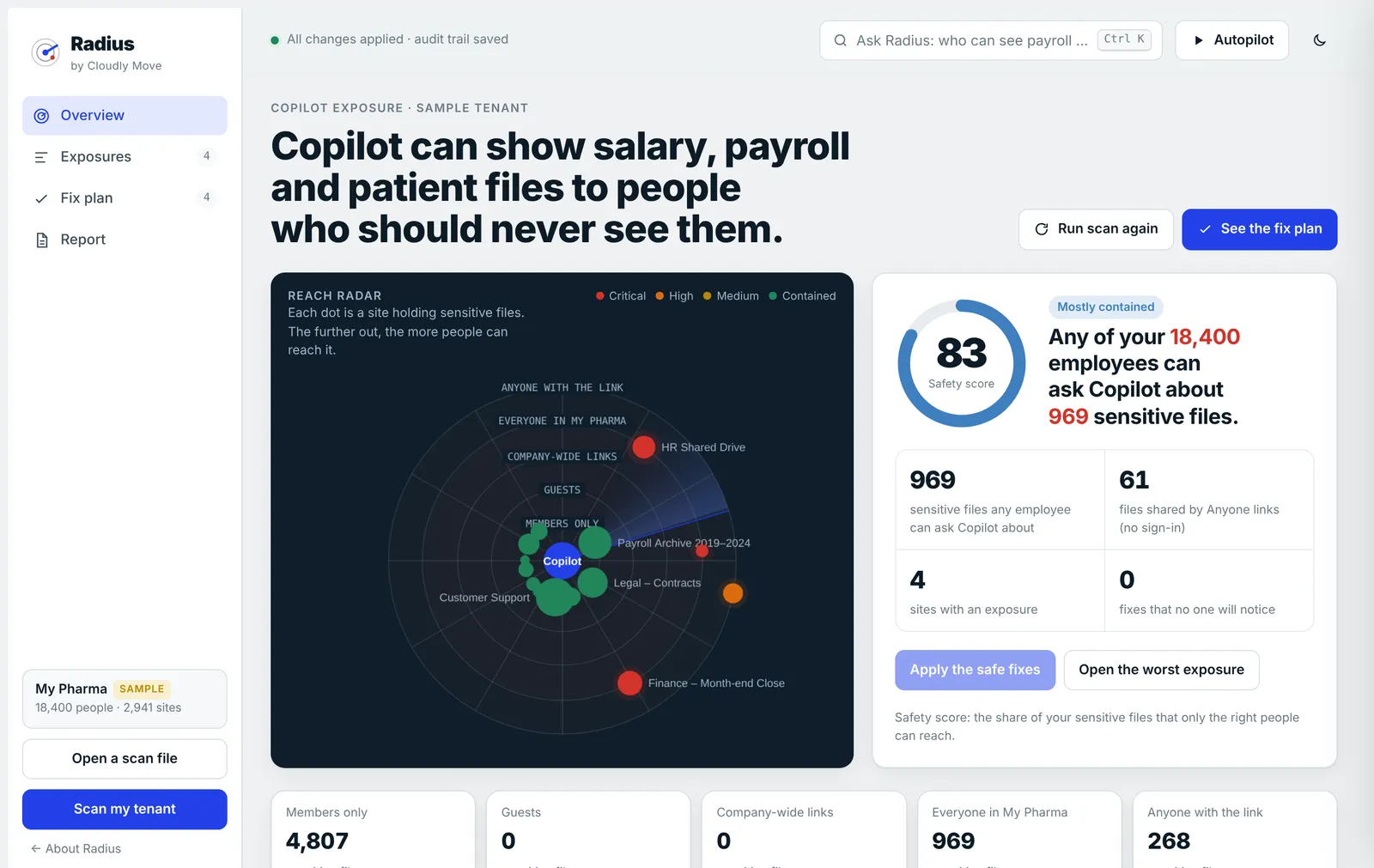
The reach radar puts Copilot at the centre and every site that holds sensitive files around it. The further out a dot sits, the more people can reach those files.
- Members only where it should be
- Guests from outside the company
- Company-wide links anyone with the link can open
- Everyone in the company, and so everyone's Copilot
- Anyone with the link, no sign-in at all
Apply the fixes and the dots move inward. The safety score is the share of your sensitive files that only the right people can reach.
How it works
Three steps. Nothing changes in your tenant until you run a script you have read.
- 1
Scan, read-only
Run the Radius scan from PowerShell 7 on your own computer, signed in as your own admin account. It reads sharing links, site membership and Purview's own sensitive-information matches, and writes one file.
- 2
See what Copilot can reach
Open that file in Radius in your browser. It's read on your machine and never uploaded. Each exposure shows who can reach it, what's inside, and what Copilot could answer.
- 3
Approve the fixes
Safe fixes remove access that is stale or unused. The rest wait for you or the site owner. Approved fixes become a PowerShell script you review and run.
Fixes nobody notices
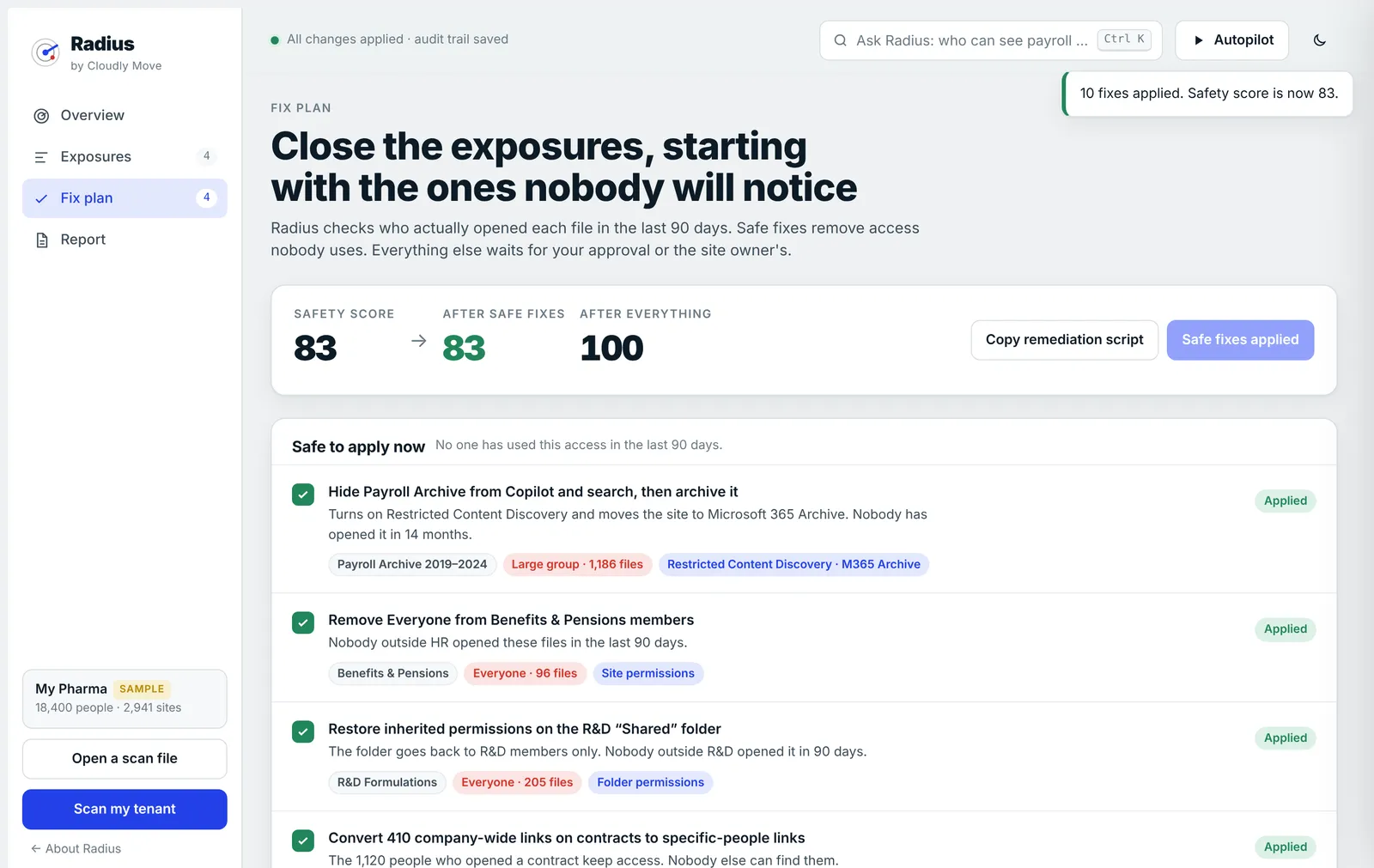
Radius sorts every fix by the disruption it would cause, so the first wave can go out the same day.
- Safe now. Stale sites hidden from Copilot and archived, company-wide links turned into links for the people who used them, inactive guests removed.
- Needs approval. Taking “Everyone” off a busy HR site, where some people will lose access they have used.
- Needs the owner. Passwords found in files. Radius removes the access, and the owner rotates the secrets.
Fixes use controls you already own: site permissions, sharing links, guest access, Restricted Content Discovery and Microsoft 365 Archive.
What it reads, and where your data goes
| Runs on | Your own computer, in PowerShell 7, with your own admin sign-in. The results open in your browser. |
|---|---|
| Sensitive files | Microsoft Purview Content Explorer matches for the sensitive information types you choose, such as National Insurance numbers, bank details and passwords. Radius uses Purview's classification and never opens files itself. |
| Who can reach them | SharePoint and OneDrive sharing links, site membership, guests and broken permission inheritance, read through PnP.PowerShell. |
| Permissions | Read-only during the scan. Content Explorer List Viewer in Purview, and SharePoint read access through an app registration in your own tenant. |
| Your data | The scan file stays on your machine and opens in your browser without being uploaded. Cloudly Move receives nothing. |
| Changes | None from the scan or the browser. Approved fixes become a PowerShell script for you to review and run. |
| Status | Private preview. We run the first scans with you, free, and use what we learn to finish the product. |
Not sure where to start?
Book a 30-minute call and tell us what worries you about Microsoft 365: oversharing, an audit, or a Copilot rollout. Or email us and we'll reply within one working day.