Why Data Governance Matters
The Business Case for Microsoft Purview
Reduce Risk
Identify sensitive data, enforce compliance, and minimise regulatory exposure across your entire estate.
Increase Trust
Certified, well-defined data assets empower teams to make faster, more confident decisions.
Unlock Value
Discoverable, well-catalogued data accelerates analytics, AI initiatives, and cross-team collaboration.
Microsoft Purview Architecture
Understanding the Foundation
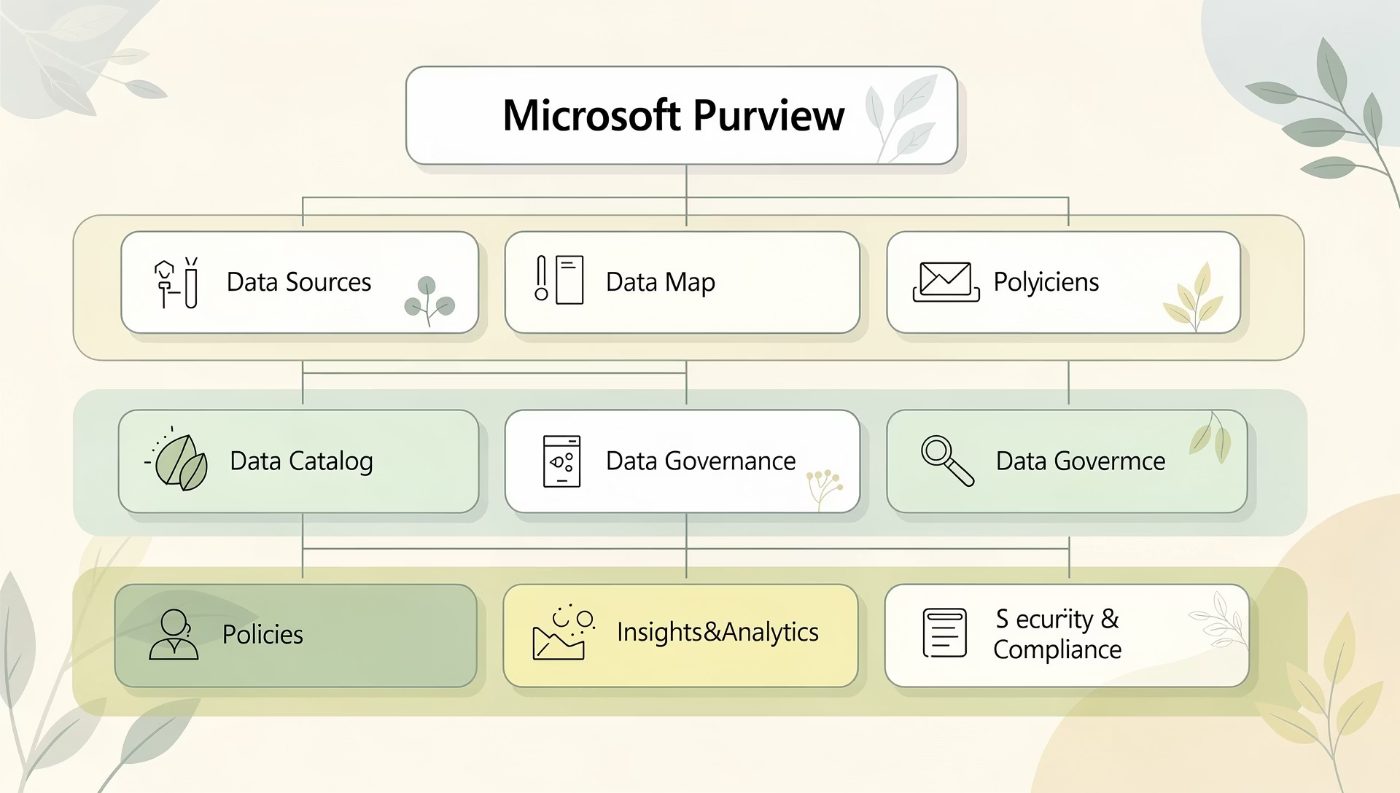
Core Components
- Data Map – Automated scanning and classification of your data sources
- Unified Catalog – Central inventory of all data assets with rich metadata
- Governance Domains – Organisational structure for ownership and accountability
- Business Glossary – Shared language bridging business and IT
- Insights – Health dashboards and governance KPIs
Purview connects technical metadata to business context, creating a single source of truth across the enterprise.
Governance Domains: Strategic Framework for Data Organisation
A Governance Domain is the top-level container in Purview, aligning data ownership to business functions such as Finance, HR, or Customer Experience. Well-designed domains establish clear accountability and make the catalogue navigable at scale.
Align to Business Units
Map domains to recognisable organisational structures — not technical systems.
Keep Scope Manageable
Aim for 5–15 domains. Too many creates confusion; too few dilutes ownership.
Assign a Domain Owner
Every domain must have a named owner accountable for quality and completeness.
Creating Effective Governance Domains
Structure and Hierarchy
Define Domain Scope
Map scope to business capability and purpose.
Assign Owners
Designate domain owner and operational stewards.
Link Data Products
Associate data products, assets, and lineage.
Configure Policies
Apply policies, access controls, and approvals.
Start by mapping domains to strategic business capabilities. Nest sub-domains where complexity demands it — for example, Finance may contain Accounts Payable and Financial Reporting. Document the domain's purpose, data sources in scope, and the governance contacts before publishing.
Data Collection Strategies
Connecting Your Data Landscape
Cloud Sources
Azure Data Lake, Synapse, Fabric, SQL Database
On-Premises
SQL Server, Oracle, SAP via Self-Hosted Integration Runtime
Multi-Cloud
AWS S3, Google BigQuery, Snowflake, and more
Best Practices for Data Collection
- Register sources at the root level to enable full hierarchical scanning
- Use incremental scans to reduce load on production systems
- Schedule scans during off-peak hours and define appropriate scan rule sets
- Validate scan results before publishing assets to the catalogue
Automated Discovery vs Manual Registration
Finding the Right Balance
Automated Discovery
- Ideal for large-scale cloud estates
- Uses built-in connectors and classification rules
- Reduces manual effort by up to 80%
- Best for structured sources with consistent schemas
Manual Registration
- Required for bespoke or unsupported sources
- Enables richer business context and descriptions
- Used for strategic or high-priority data products
- Supports custom lineage and relationship mapping
Recommended: Automate discovery first, then enrich critical assets manually.
Building a Comprehensive Business Glossary
A shared vocabulary is the foundation of trustworthy data. Purview's Business Glossary links terms to assets, ensuring consistent understanding across all teams.
Term Name & Definition
Use plain language. Definitions should be understandable by a business analyst, not just a data engineer.
Linked Assets
Associate each term with the relevant data assets, columns, and data products in the catalogue.
Term Steward
Assign a business steward who owns the definition and is accountable for keeping it accurate.
Glossary Best Practices
Approval Workflows and Version Control
Draft
Review
Published
Key Governance Practices
- Use hierarchical term sets — parent categories with child terms
- Enforce a mandatory review and approval workflow before publishing
- Record synonyms and acronyms to aid discoverability
- Track version history to audit term changes over time
- Review the glossary quarterly and deprecate obsolete terms
Setting Meaningful OKRs for Data Governance Success
Objective: Improve Data Discoverability
KR: 80% of priority data assets catalogued with business descriptions within 90 days.
Objective: Establish a Trusted Glossary
KR: 200 approved glossary terms published, each linked to at least one data asset.
Objective: Ensure Compliance Readiness
KR: 100% of sensitive data assets classified and associated with a data owner.
Objective: Drive Adoption
KR: Monthly active users of the catalogue increase by 50% within two quarters.
OKRs should be reviewed in sprint cycles and tied to a named governance domain owner to ensure accountability.
Identifying and Cataloguing Critical Data Elements
Critical Data Elements (CDEs) are the small set of data fields that matter most to business outcomes, regulatory compliance, or risk management.
How to Manage CDEs in Purview
- Tag CDEs with a custom classification label for visibility
- Link each CDE to its governing glossary term
- Assign a data steward responsible for quality monitoring
- Document valid values, formats, and lineage in asset attributes
Business Concepts Metadata
Bridging Business and Technical Views
Business Concepts in Purview act as logical groupings that translate technical data constructs into meaningful business language. They sit above individual assets and enable executives and analysts to navigate the catalogue without needing to understand physical schemas.
Business Concept
"Customer 360" — a strategic view of all customer touchpoints
Linked Glossary Terms
Customer ID, Lifetime Value, Churn Risk, Preferred Channel
Associated Data Assets
CRM tables, web analytics datasets, support ticket history
Data Assets Attributes
Essential Metadata for Discoverability
Core Attributes to Complete
Description
Plain-language explanation of what the asset contains and its business purpose.
Classifications
Sensitivity labels: PII, Confidential, Financial, or custom classifications.
Contacts
Named data owner and expert for each asset — never leave these blank.
Glossary Terms
Link relevant terms to columns and tables to add semantic context.
Schema Management and Data Lineage Tracking
Source System
Transformation Layer
Analytical Store
Purview automatically captures lineage for supported services including Azure Data Factory, Synapse Pipelines, and Microsoft Fabric. For unsupported tools, use the Atlas REST API or Apache Atlas hooks to push custom lineage. Schema drift alerts notify stewards when column-level changes occur, preventing silent data quality failures downstream.
Governance Domain Roles
Assigning Accountability and Ownership
Domain Owner
Accountable for the overall health of the domain. Approves glossary terms, sets OKRs, and sponsors governance initiatives.
Domain Steward
Day-to-day operator. Curates assets, maintains descriptions, and monitors data quality scores within the domain.
Policy Officer
Ensures the domain complies with regulatory requirements. Manages access policies and reviews sensitive data classifications.
Domain Reader
Consumers who browse and use catalogued assets. Provide feedback on usability and flag quality issues.
Data Domain Roles
Stewards, Owners, and Subject Matter Experts
Role Responsibilities at a Glance
- Data Owner — Makes decisions on access, usage, and lifecycle. Typically a senior business leader.
- Data Steward — Maintains asset quality, completes metadata, and resolves data issues.
- Subject Matter Expert (SME) — Validates business definitions and quality rules. Often an analyst or architect.
Each role should be named, not generic. Avoid team mailboxes — individual accountability drives results.
Access Controls and Permission Management

Purview Permission Layers
- Collection-level roles — Control who can create, edit, or view assets within a collection
- Policy-based access — Use Microsoft Purview Data Policies to govern access to underlying sources
- Sensitivity labels — Automatically restrict visibility of PII and confidential assets
Best Practices
- Follow least-privilege principles — grant only what is necessary
- Integrate with Entra ID groups for scalable role management
- Audit access logs monthly and revoke stale permissions promptly
Quality Monitoring and Data Health Dashboards
Key Metrics to Track
- Metadata completeness — % of assets with descriptions, owners, and classifications
- Glossary coverage — % of assets linked to at least one term
- Scan freshness — Days since last successful scan per source
- CDE quality score — Aggregated rule pass rate for critical fields
Set a target of ≥ 80% metadata completeness per domain before declaring a domain "production-ready."
Common Implementation Challenges and Solutions
Low Metadata Quality
Solution: Mandate completion of key attributes during asset onboarding. Use Purview's quality score to track progress and set domain-level targets.
Slow Stakeholder Adoption
Solution: Embed catalogue search into existing analyst tools (Power BI, Fabric). Run champion programmes to build grassroots momentum.
Ownership Gaps
Solution: Run a quarterly "orphaned assets" review. Escalate unowned assets to domain owners for assignment within 30 days.
Glossary Sprawl
Solution: Enforce a strict approval workflow. Consolidate duplicates during quarterly reviews and archive deprecated terms.
Next Steps: Your Purview Implementation Roadmap
Month 1–2
Define Governance Domains, assign owners, and register priority data sources. Publish first 50 glossary terms.
Month 3–4
Automate scanning, identify CDEs, and complete metadata for top 20% of assets. Launch steward training.
Month 5–6
Enable lineage tracking, configure access policies, and publish first data health dashboard.
Ongoing
Quarterly OKR reviews, glossary audits, and catalogue adoption campaigns to sustain governance momentum.
Start small, iterate quickly. A governed domain with 100 well-curated assets delivers more value than 10,000 undescribed ones.